

RiverScript
Turn audio, video, and live recordings into text with AI transcription
Web appProductivityEducationWriting & contentlaunched Oct 7, 2026
Comments
0
Lex ValoMaker
What new features would help improve your transcription workflow in RiverScript?
About RiverScript
RiverScript is an all-in-one platform to transcribe audio, video, and live recordings into text. Users can upload files, record voice notes, or capture system audio playing on their Windows and Mac computer without extra permissions or apps. It supports files up to 50GB and offers AI-generated text transcripts, multilingual translations, and instant summaries.
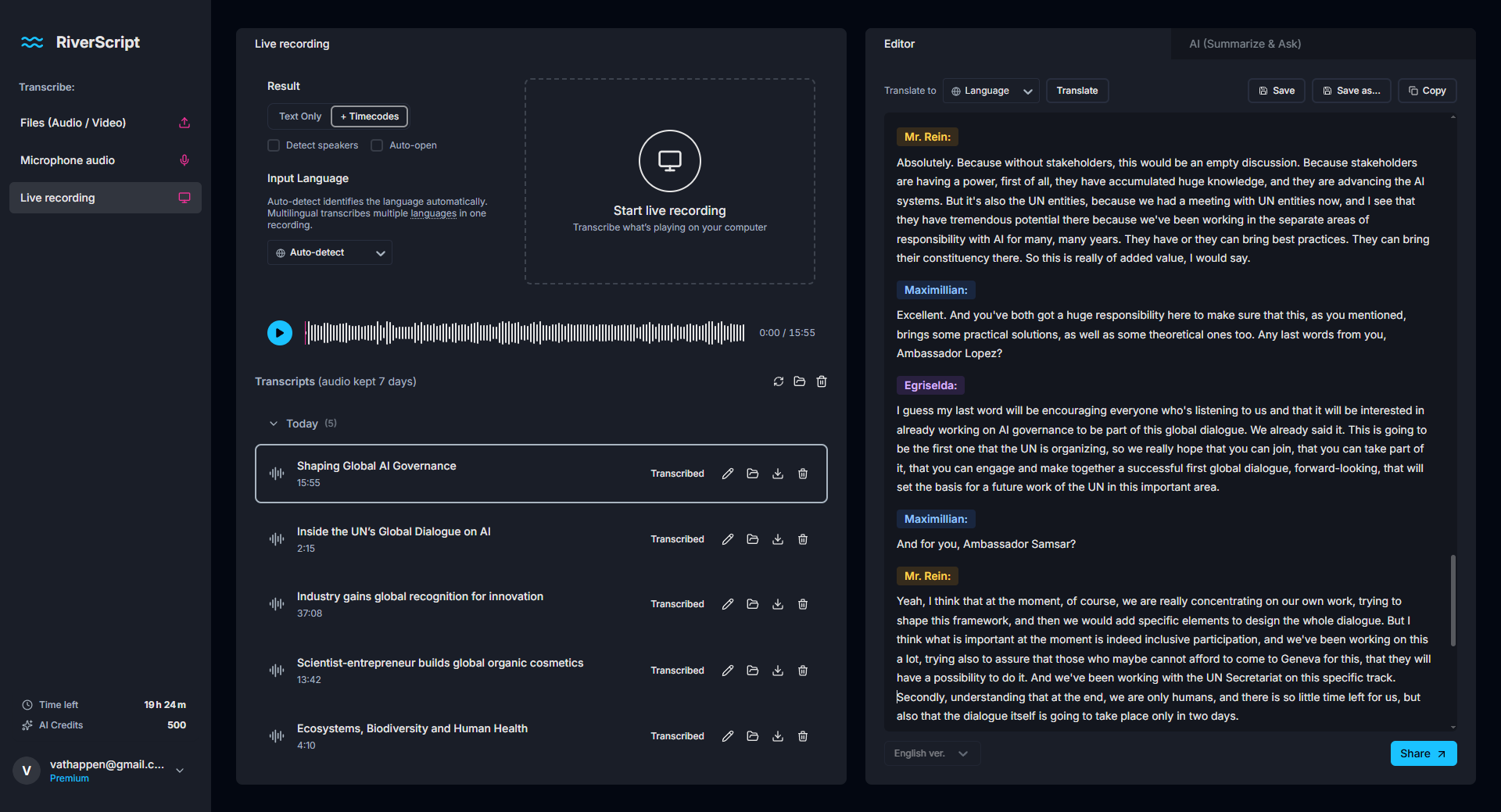
The workflow includes uploading or recording media, one-click transcription using advanced AI models, and an interactive editor with synchronized playback and color-coded speaker labels. Users can translate transcripts, generate summaries, chat with content, and export in formats like PDF, DOCX, or SRT. RiverScript aims to serve students, content creators, and professionals with tailored features and accuracy levels.
Gallery

Overview
Who is it for?
Students, content creators, and professionals needing transcription and text workflow
Problem
Turning audio or video recordings into editable, accurate text transcripts efficiently
Solution
Upload or record media, transcribe with AI, edit and play in sync, plus translate and summarize
What makes it unique
Supports live audio capture from system audio, large 50GB files, and integrated AI summaries and translations
The maker
Maker · @valosanteri
Details
Platforms
Tech stack
Related launches
- 1
 Zami · AI-powered social analytics and creator discovery for teams
 - 2
 ToolJunction · Discover AI Tools, Startup Credits & Perks
 - 3
UK Taxi PHV Licensing · Evidence-linked UK taxi and private-hire licensing preflight for Claude and other MCP clients.
- 4
Crecerank · CreceRank es la herramienta GEO/AEO económica y en español para medir tu visibilidad en ChatGPT, Gemini y Perplexity
- 5
ScreenCraft · Mac app for 4K screen recording with auto-zoom, captions, and teleprompter