

Koppar
AI PCB design from plain English to fab-ready boards
MCP serverDeveloper toolsProductivityOther2 viewslaunched Oct 27, 2026
Comments
0
Abijah KajabikaMaker
What features would improve your AI PCB design workflow with Koppar?
About Koppar
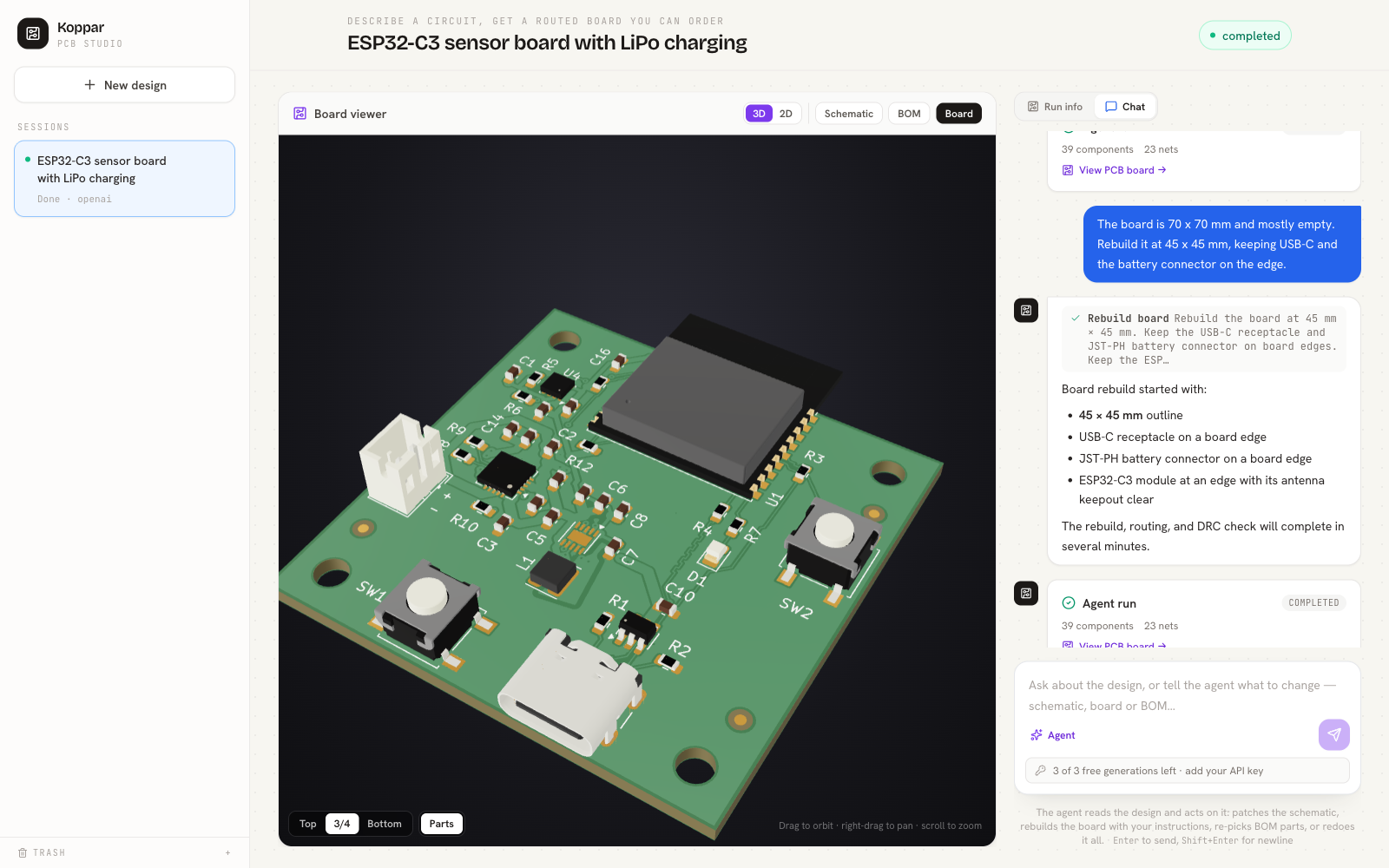
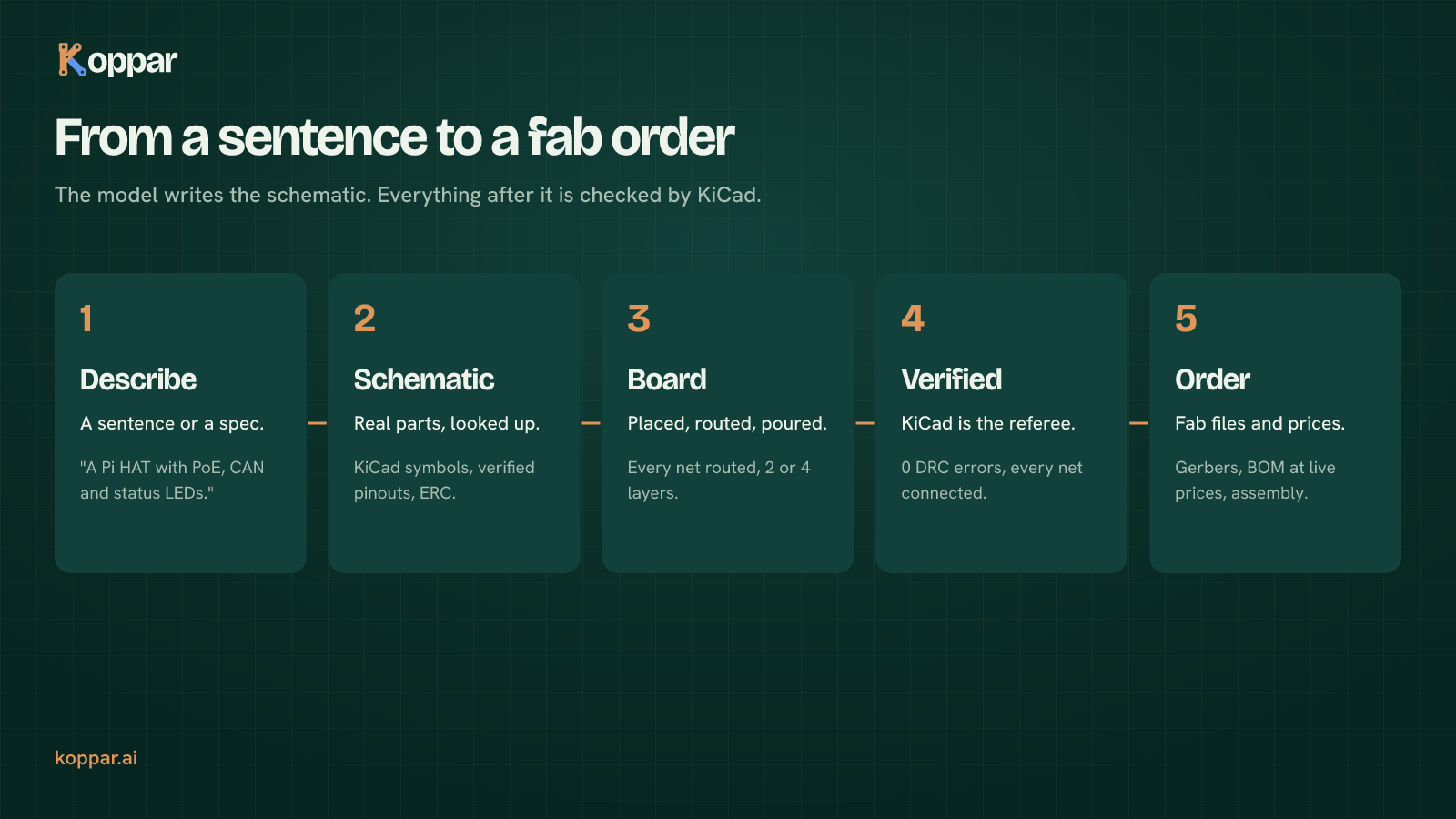
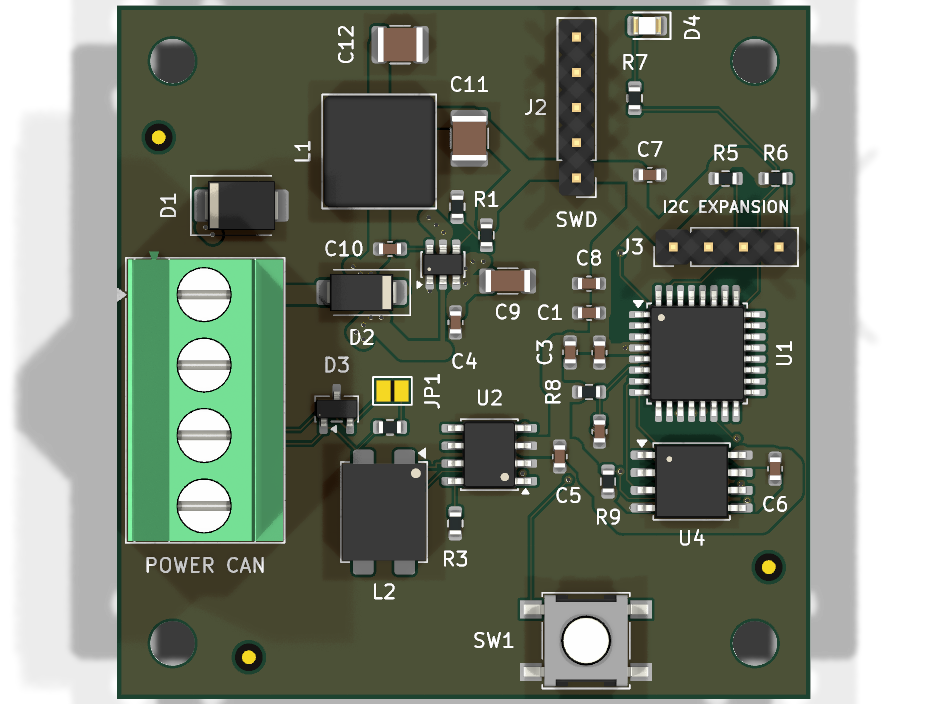
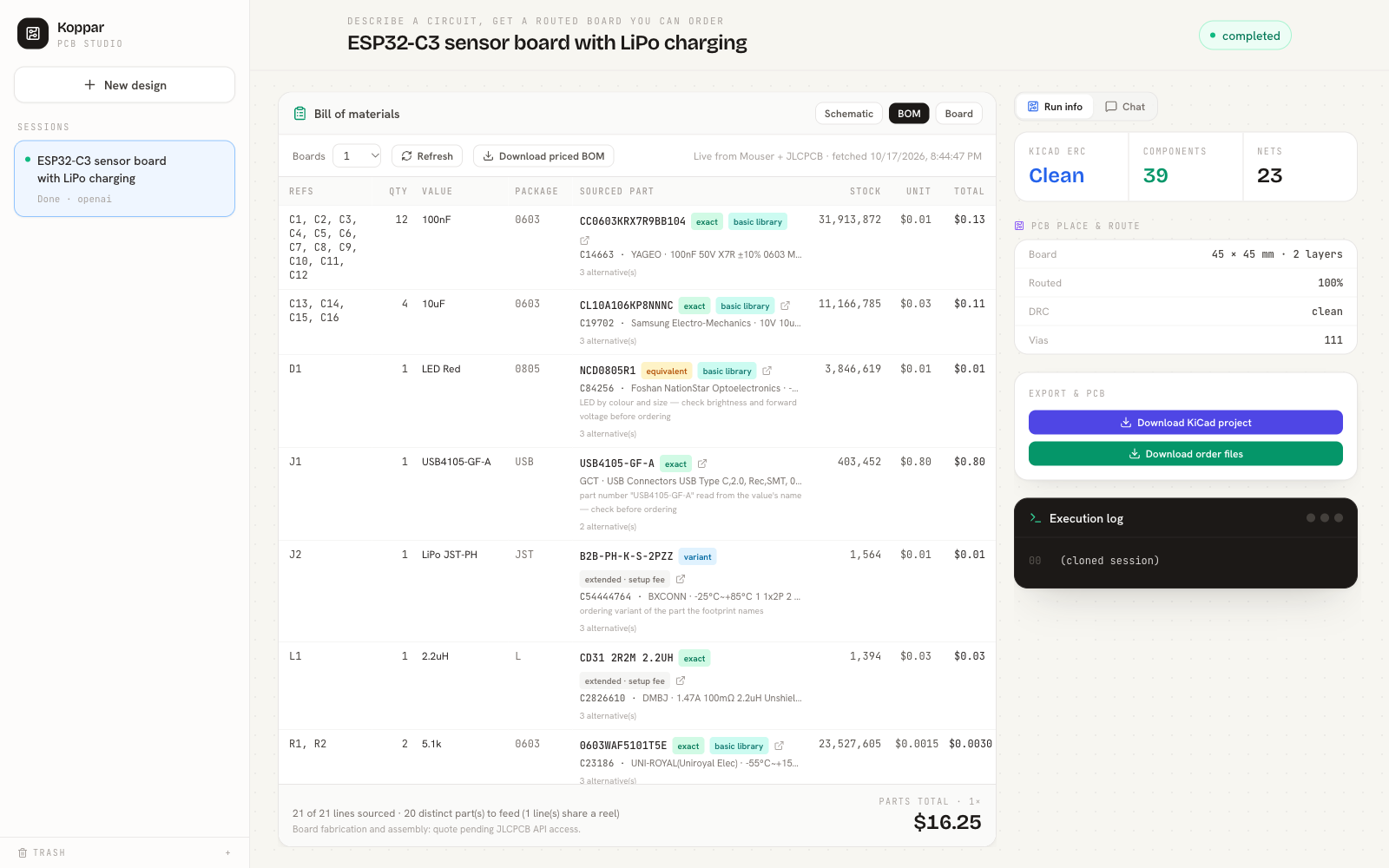
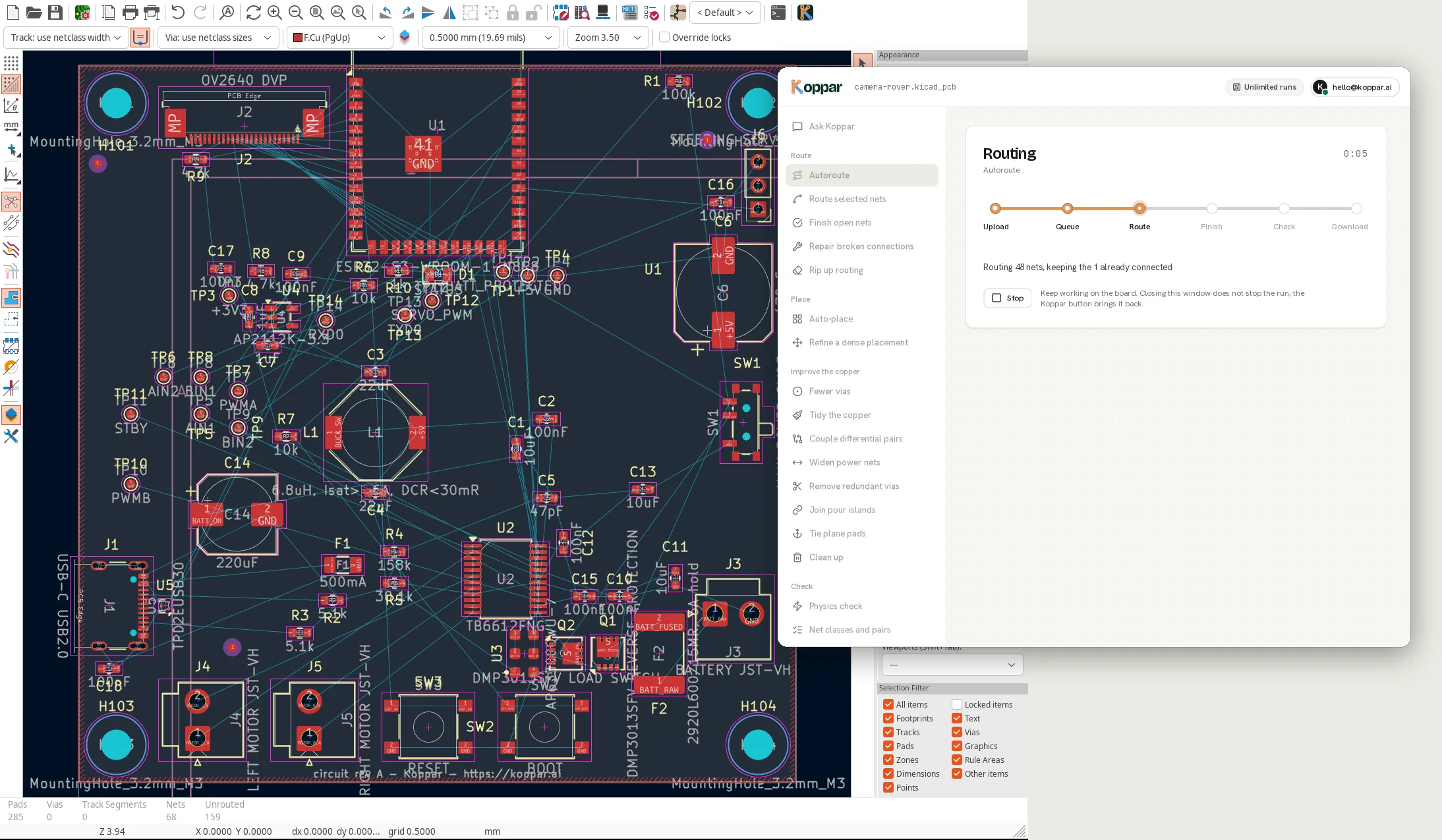
Koppar is a PCB design service your agent can drive. Install the MCP server and Claude Code (or any MCP client) can describe a circuit in plain English, get a KiCad schematic, a placed and routed board, a bill of materials priced from live distributor stock, and Gerbers released only when the board passes every check: all nets connected, design rules clean, power traces wide enough for their current. The agent can also bring its own KiCad project and ask for placement, routing or a design-rule check, and it gets back measured numbers, not descriptions. A KiCad plugin does the same from inside KiCad.
The platform uses real library symbols and footprints from KiCad and live part stock from distributors. You can download the full KiCad project files or send your design to supported manufacturers like AISLER, PCBWay, and JLCPCB. Designs can be customized further in KiCad or automated via an API, CLI, or MCP client.
How it was built with Claude
Both halves of it.
The product itself was built with Claude Code: the pipeline, the KiCad tooling, the web studio, the MCP server and the KiCad plugin were written in Claude Code sessions, usually with Claude driving the real thing end to end (running a board, reading the render, comparing the numbers against the brief) rather than writing code and hoping. The CLAUDE.md working agreements in the repo are what keep those sessions honest: no tests unless necessary, verify by replaying the real failure, look at the board before calling it done.
At runtime, Koppar runs on the Claude API: Haiku for research (parts and pinouts looked up through our own KiCad tools), Sonnet for writing the schematic, reviewing it and for the chat agent that edits a design. Tool use everywhere: the models never guess a symbol or a footprint, they search our catalogue, and a board check returns measured numbers the model has to answer to.
Two things that worked: let a gate the model cannot talk its way past decide what ships, and give the model eyes and a tape measure (renders and measurements of the board it just changed) instead of trusting its description of what it did.
The MCP server is how it closes the loop: Claude Code can describe a circuit, get a board, bring its own KiCad project and ask for routing or a rule check.
Gallery

Overview
Who is it for?
Hardware makers and engineers without CAD experience
Problem
PCB design requires complex layout, routing, verification, and costly mistakes in part sourcing
Solution
Generate schematic and PCB files from plain-English description with verified routing and live-priced BOM
What makes it unique
Full automated placement, routing, DRC checks and live distributor-part verification with downloadable KiCad projects and manufacturing-ready Gerber exports.
The maker
Maker · @migishoabijah
Details
Platforms
Tech stack
Related launches
- 1
StackQL MCP Server · The universal, self-discoverable control plane for any cloud or SaaS provider. Query and provision with SQL over MCP.
- 2
 slim.to · Share and track documents with real-time notifications and page analytics directly from Claude
 - 3
 MAQAMI Travel MCP Server · MCP server for hotels, flights, and live travel bookings
 - 4
OPENCatman · Planogram and category management you can drive with Claude via MCP
- 5
 Zami · AI-powered social analytics and creator discovery for teams
 - 6
 Gathern · Search and compare bookable chalets, apartments and resorts across Saudi Arabia, right inside Claude.