

K2Shell
SSH client connecting servers to Claude, ChatGPT, and MCP tools for chat-based management
MCP serverDevOps & infraDeveloper toolsSecurity6 viewslaunched Nov 9, 2026
Comments
0
Tahir YasinMaker
What features would improve AI-driven server management workflows in K2Shell?
About K2Shell
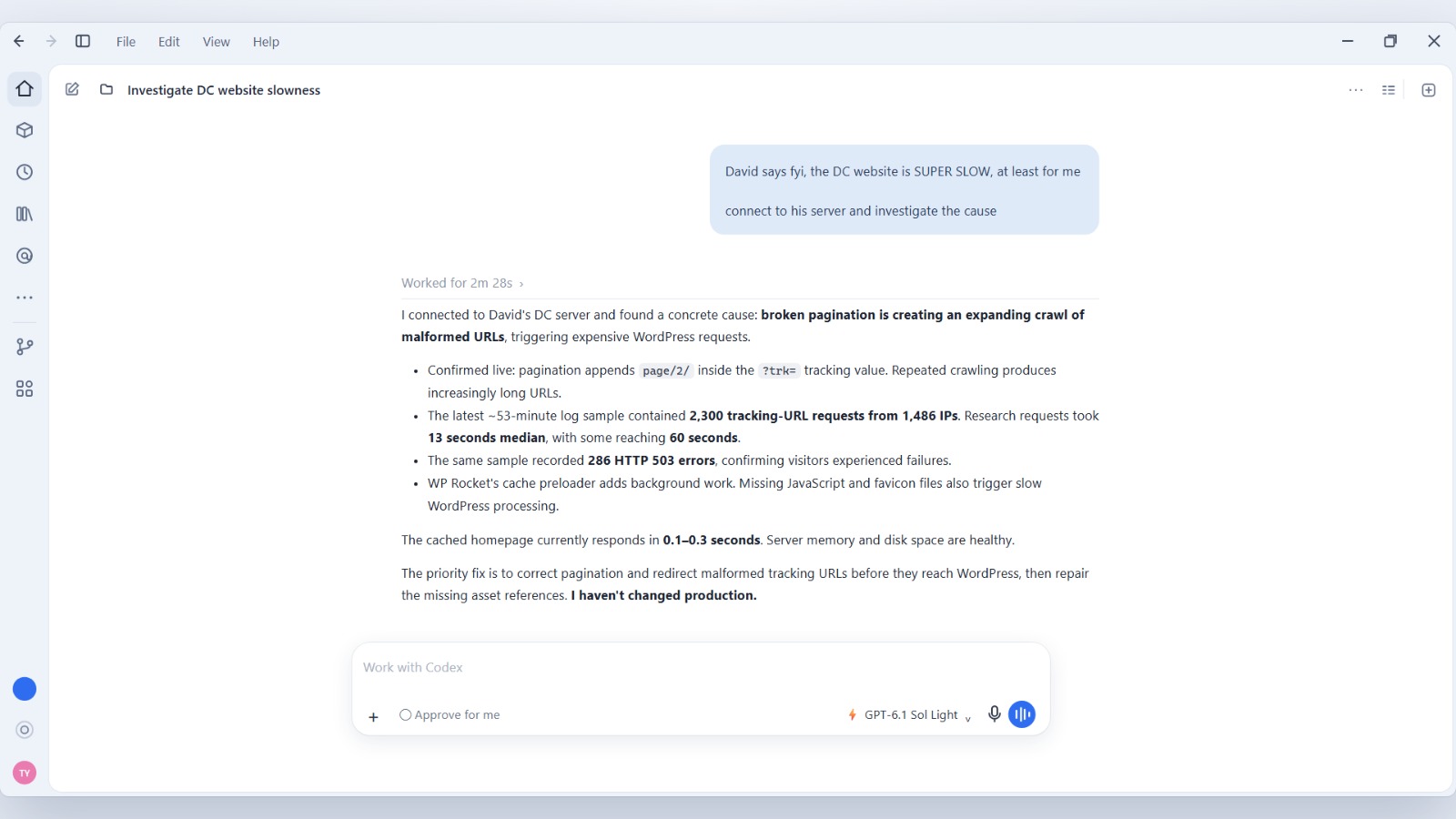
K2Shell is an SSH client designed for humans and AI agents to manage Linux servers through conversational AI tools like Claude or ChatGPT. It enables users to investigate issues, deploy updates, and perform maintenance by issuing plain-language requests that the AI interprets and executes on the servers within user-defined access policies.
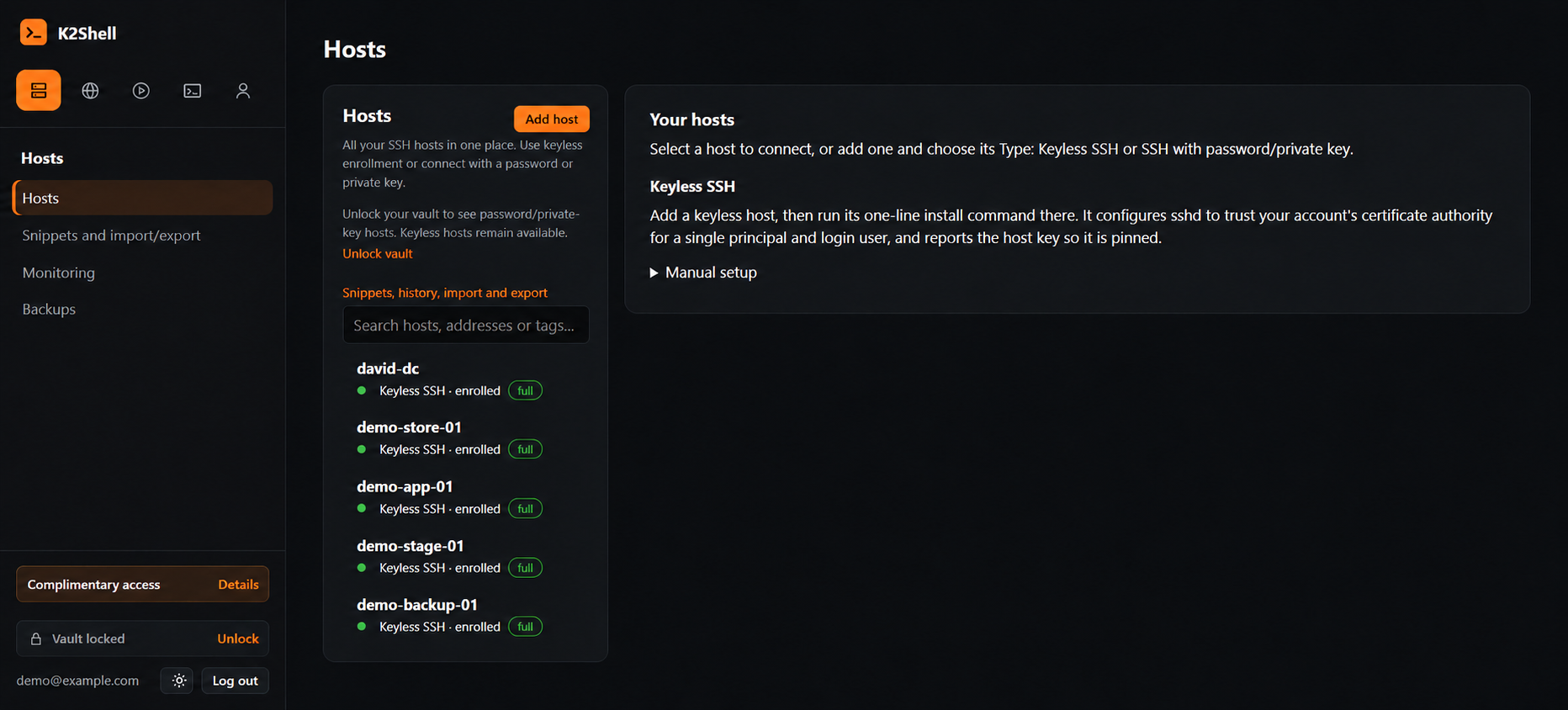
Setup involves enrolling a Linux server with a one-time configuration script to enable keyless or password SSH authentication. Users connect their preferred AI tool via a compatible MCP client, granting scoped access for agent-driven tasks. K2Shell provides visibility into command activity and live terminal sessions alongside encrypted credential management for security.
This tool supports various workflows including diagnosing application errors, deploying code updates, server security reviews, and routine maintenance, all with controlled permissions and auditability. It aims to let developers and DevOps teams handle server operations via chat instead of manual terminal commands.
Gallery
Overview
Who is it for?
Developers, DevOps teams, and administrators managing Linux servers
Problem
Managing servers through SSH commands can be complex and error-prone, especially for nontechnical users or automating tasks via AI tools.
Solution
K2Shell connects enrolled servers to ChatGPT, Claude, or other MCP-compatible tools to allow server management by conversational chat, translating natural language requests into SSH commands securely.
What makes it unique
It supports keyless SSH enrollment with short-lived certificates, encrypted vaults for credentials, real-time terminal session monitoring, scoped permissions, and is designed specifically for AI-assisted server management via chat.
The maker
Maker · @scriptbaker
Details
Platforms
Tech stack
Related launches
- 1
 VideoDB MCP · Edit, clip, transcribe, search and visually analyse videos and live streams with Claude.
- 2
 Meridian · Host, bill and grow Shopify apps, and let Claude deploy, roll back and read logs through the Meridian MCP server.
- 3
 MAQAMI Travel MCP Server · MCP server for hotels, flights, and live travel bookings
- 4
StackQL MCP Server · The universal, self-discoverable control plane for any cloud or SaaS provider. Query and provision with SQL over MCP.
- 5
 Gathern · Search and compare bookable chalets, apartments and resorts across Saudi Arabia, right inside Claude.
- 6
 slim.to · Share and track documents with real-time notifications and page analytics directly from Claude